Control output
When a button finishes, the bot has to put the result in
your chat. Telegram never accepts more than 4096 bytes in one message, so a long
result either arrives as several reply messages or as one .txt file you
can open and download.
Three optional fields decide what happens. You can leave all of them out and the bot still behaves sensibly.
The one rule to remember
The button wins. If a button sets output, that is what happens. If the
button says nothing, the root value applies. If the root says nothing
either, the bot uses auto.
Every picture on this page opens
The chat pictures are small on purpose. Click one to see it full size.
The three fields at a glance
| Field | Where you set it | Type | Default | What it decides |
|---|---|---|---|---|
max_output_bytes |
root only | int | 524288 |
How many bytes of output the bot keeps per command |
output |
root and button | auto | text | file |
auto |
Whether the result arrives as chat messages or as one .txt file |
max_output_messages |
root only | int, 1–10 |
2 |
In auto mode, the number of messages allowed before a file is sent instead |
All three live in your config file, at the root,
next to shell and timeout, not under telegram. The full list of root keys
is on the Configuration page.
max_output_bytes
This is your own limit, and it comes first. While a command runs, the bot keeps
at most this many bytes of its output, counted separately for normal output and
error output. Anything past that is dropped, but the command itself keeps
running until it finishes or hits its timeout.
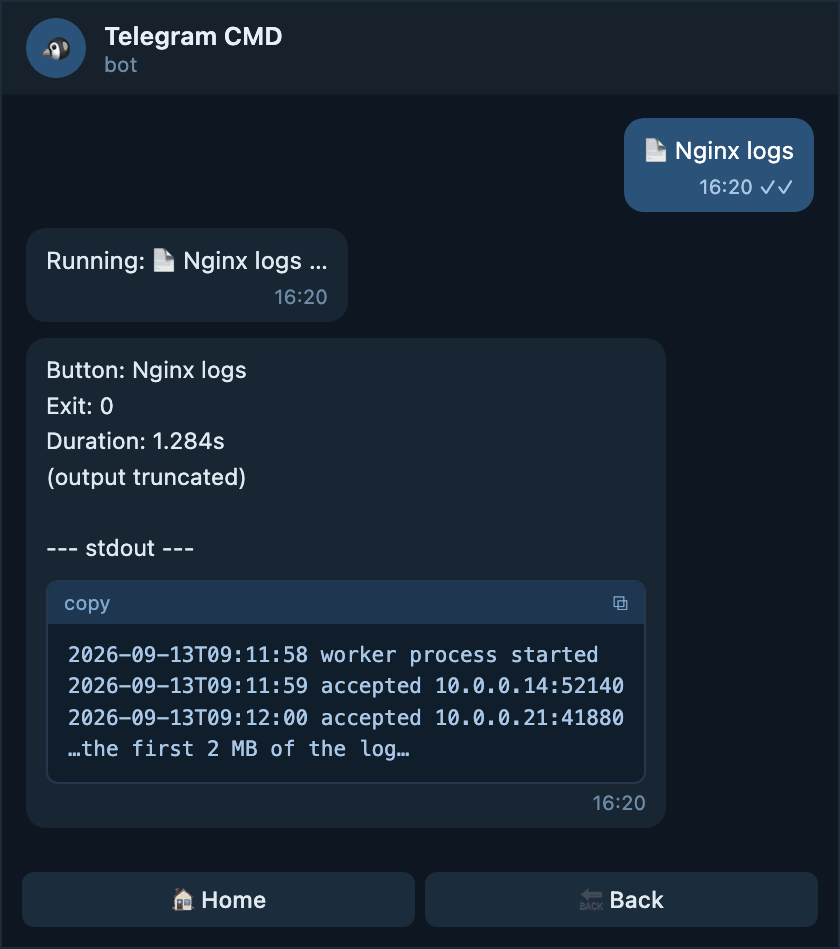
Keep up to 2 MB of output per command
- 2 MB instead of the default 512 KB. Counted for normal output and for error output separately.
What you get in the chat
When the limit was reached, the result says so on its own line, right under
the summary. Everything above (output truncated) is the part the bot kept;
the rest of the log never left the server.
Raising it only helps if a file is sent
A chat message can never carry more than 4096 bytes, so a bigger
max_output_bytes only reaches you in full when the result arrives as a
.txt file. Pair it with output: auto (the default) or output: file.
output
output chooses the delivery. It accepts three values, and it is the only
output field you can also put on a single button.
Text messages while the result is short, one .txt file when it is not.
This is the default, and the value you keep if you write nothing.
Always chat messages, however long the result is. The bot stops after ten messages and adds a note that the rest was cut.
Always one .txt file, even for a one-line result. The summary comes along
as the file caption.
Omitting it is the same as writing auto
You never have to write output. A config that worked before this field
existed keeps behaving exactly the same.
max_output_messages
This field only matters in auto mode, and it only exists at the root. It is
the number of chat messages the bot is willing to send before it gives up on
messages and sends one file instead. Allowed values are 1 to 10; the
default is 2.
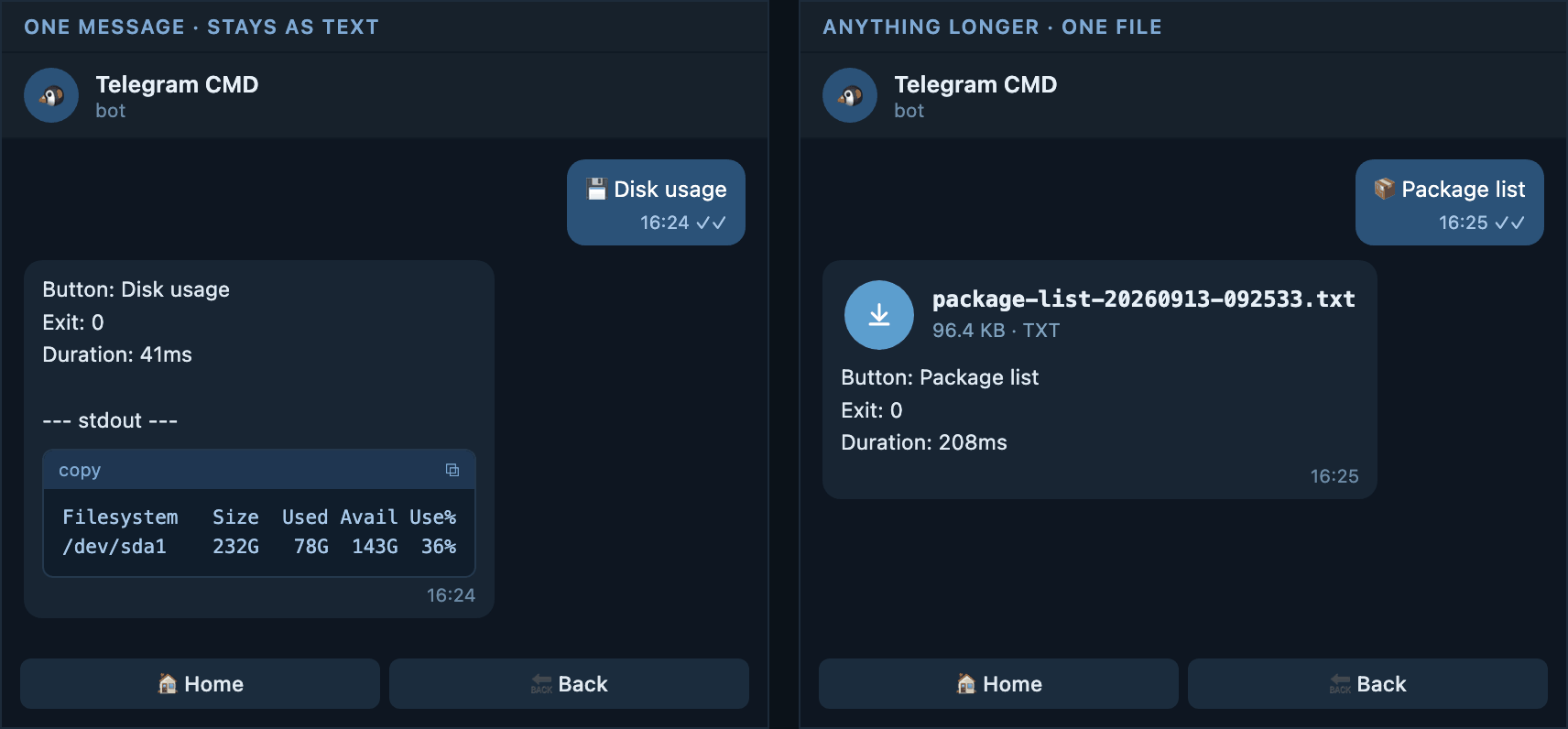
Send a file as soon as the result needs a second message
- The strictest setting. Only a result that fits in one message stays in the chat.
What you get in the chat
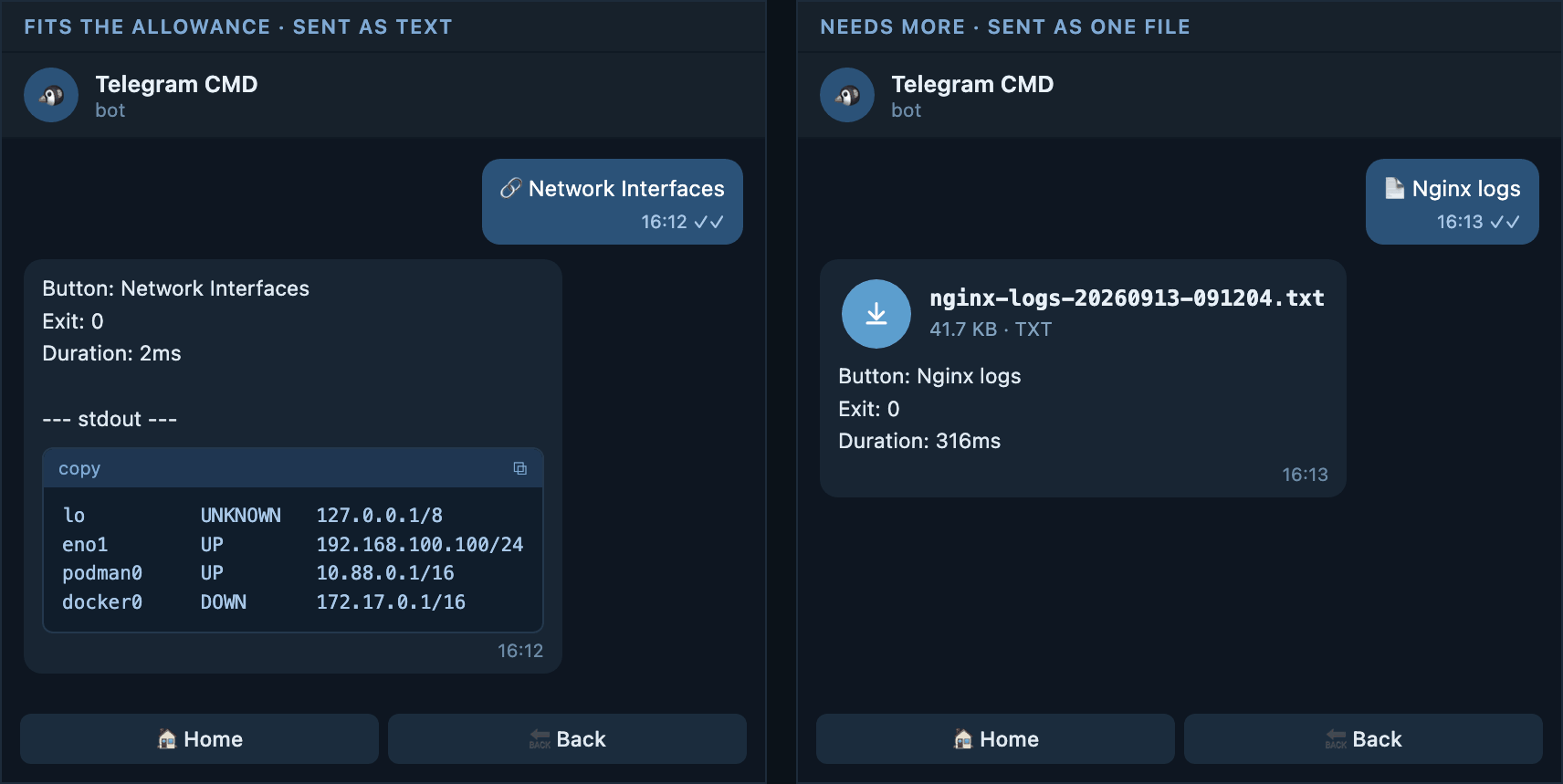
A result that fits inside the allowance stays as chat messages. The moment
it would need one message more, the whole result arrives as a single .txt
file instead, and no partial messages are sent.
It is a root-only field
A button cannot set max_output_messages. Put it at the root and let
buttons that need something different set output: text or output: file.
Root and button together
A button may carry its own output. Nothing else about output is settable per
button. The effective mode is simply:
Root output |
Button output |
What actually happens |
|---|---|---|
not set or auto |
not set | auto |
not set or auto |
auto |
auto |
not set or auto |
text |
text |
not set or auto |
file |
file |
text |
not set | text |
text |
auto |
auto |
text |
text |
text |
text |
file |
file |
file |
not set | file |
file |
auto |
auto |
file |
text |
text |
file |
file |
file |
The sections below walk through all twelve combinations, one example each.
When the root is auto
This includes the case where the root says nothing at all, because a missing
output means auto.
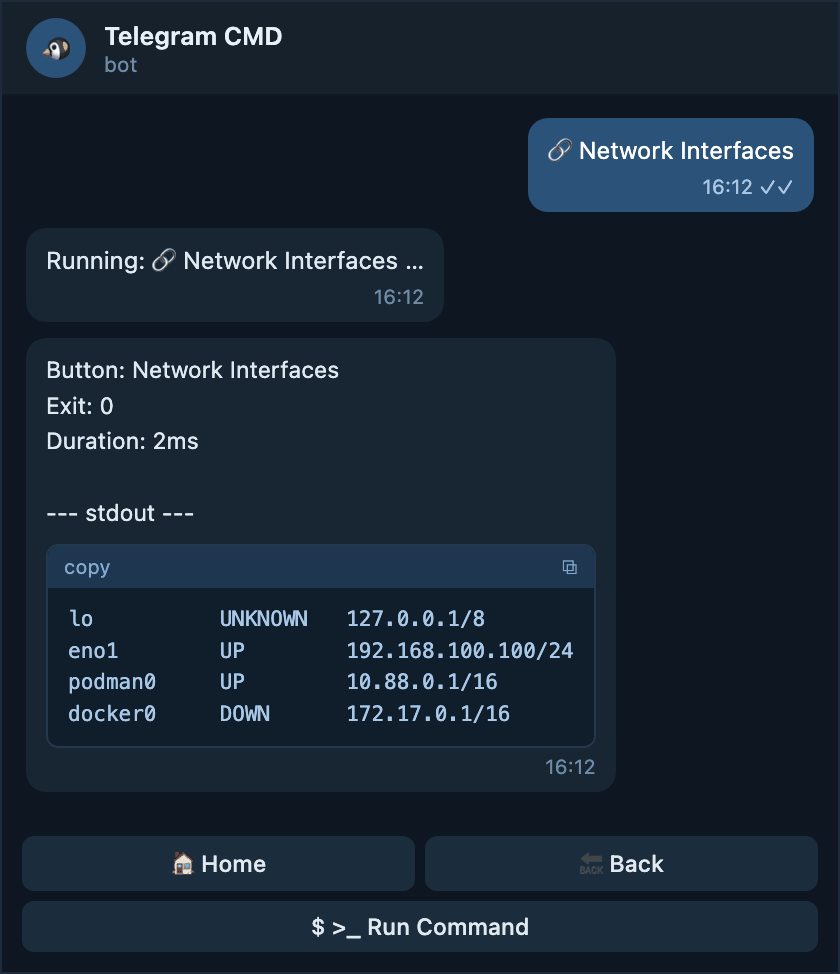
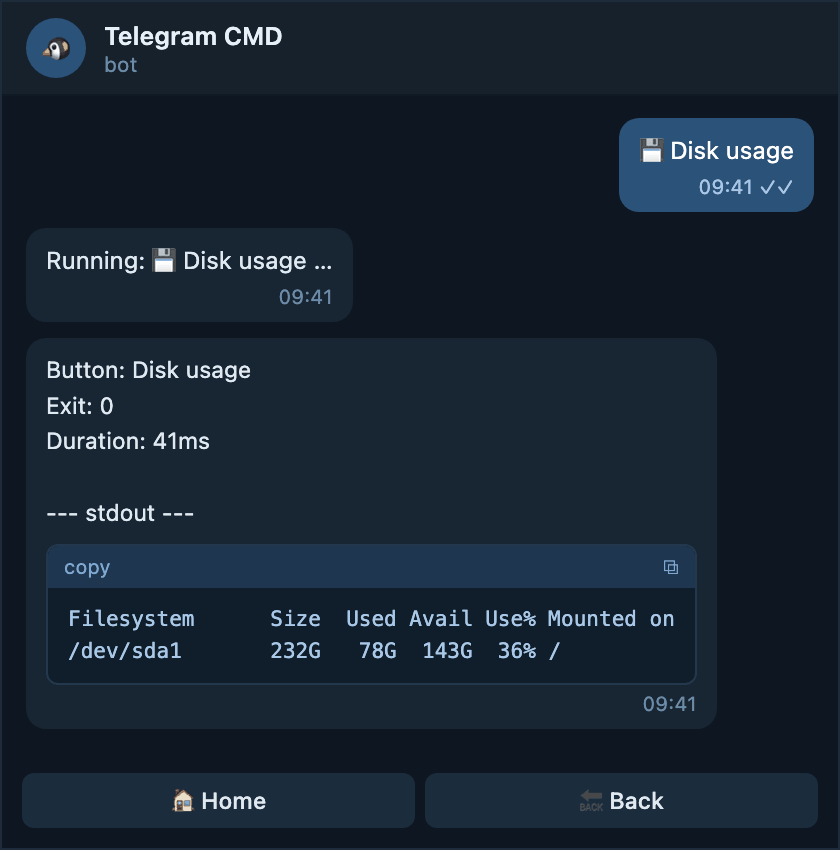
The root is auto, the button says nothing
The everyday case. Short results stay in the chat; a result that would need
more than max_output_messages messages arrives as a file.
A plain button under a plain root
What you get in the chat
df -h prints a handful of lines, so it fits in one message and stays in
the chat as a code block with the summary above it.
The root is auto, the button says auto
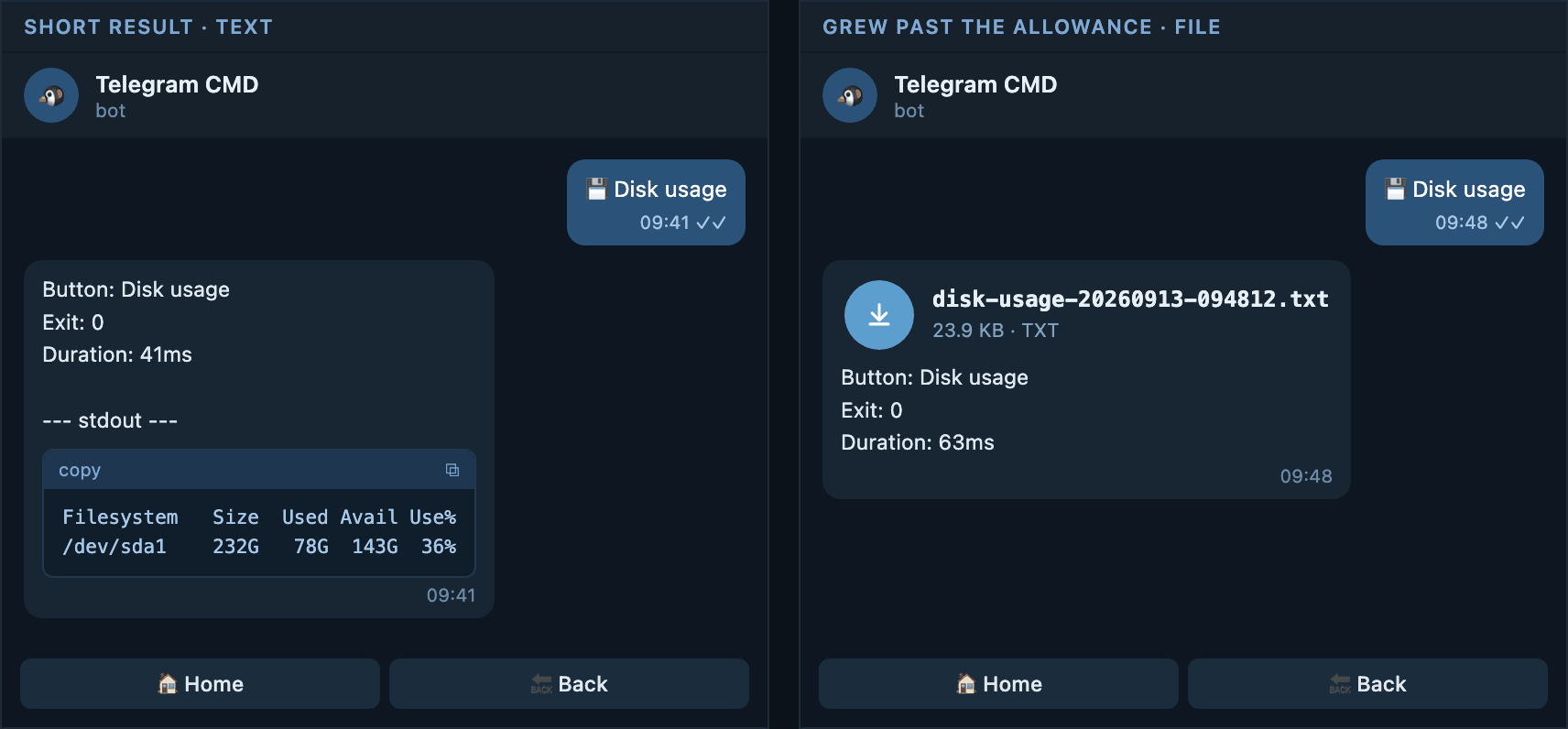
Writing auto on the button changes nothing here. It is only worth typing when
you want the button to stay in auto no matter what the root becomes later.
Spelling out the default on the button
output: auto

menu:
  - name: Disk usage
    type: button
    function: command
    command: "df -h"
    output: auto # (1)!
- Same behaviour as leaving it out today, but this button keeps it even
if the root changes to
textorfilelater.
What you get in the chat
Exactly the automatic behaviour: text while the result is short, one file once it grows past the allowance. On a server with many mounted disks the very same button can send you a file instead.
The root is auto, the button says text
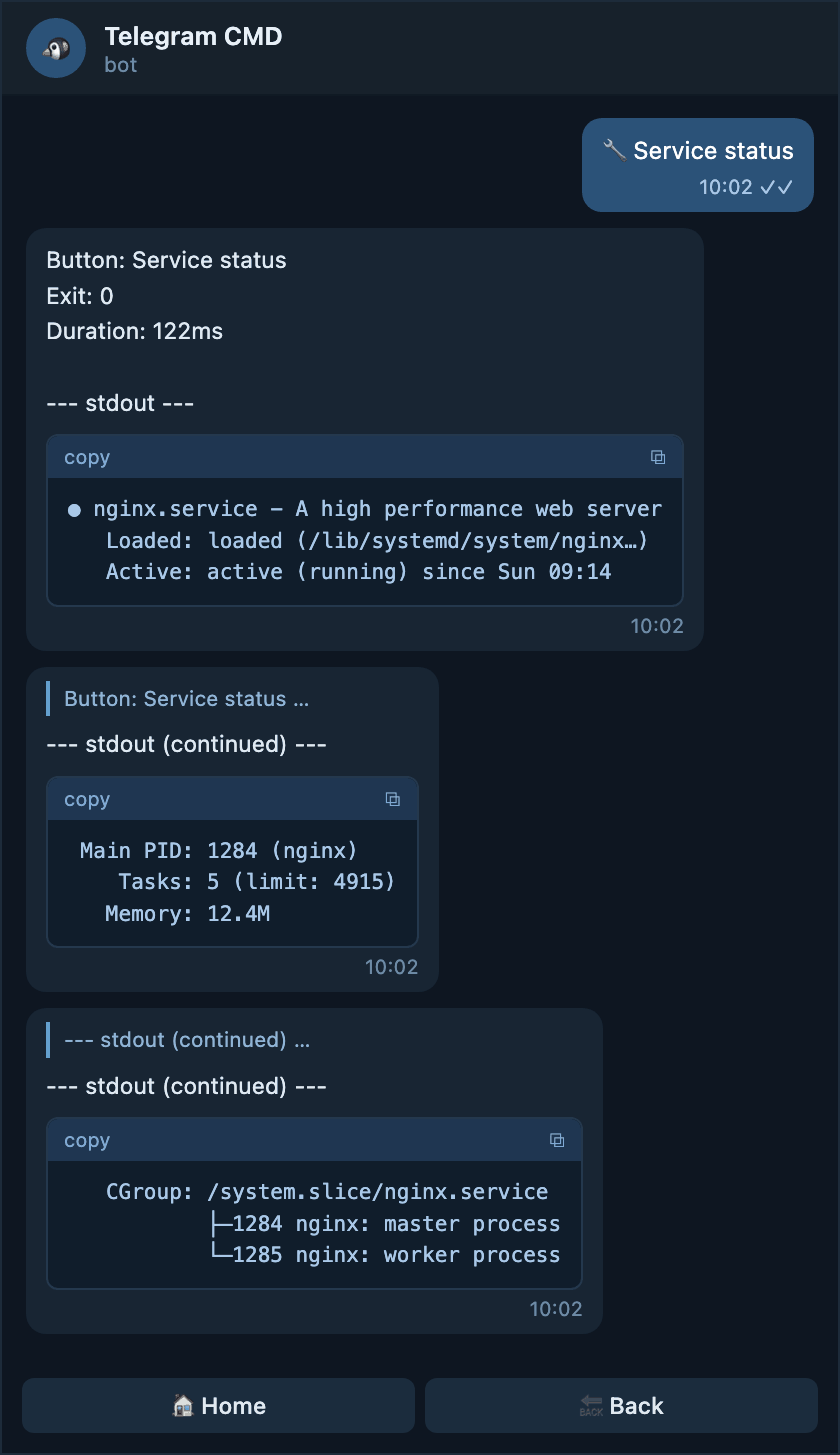
Use this for a button whose output you always want to read inline, even when it runs a little long — a status list you scroll through rather than download.
Keep one button in the chat
output: auto

menu:
  - name: Service status
    type: button
    function: command
    command: "systemctl status nginx --no-pager"
    output: text # (1)!
- Never a file, whatever
max_output_messagessays.
What you get in the chat
The result is split into several messages, each one a reply to the message before it, so the order is never lost. The buttons stay on the last part.
The root is auto, the button says file
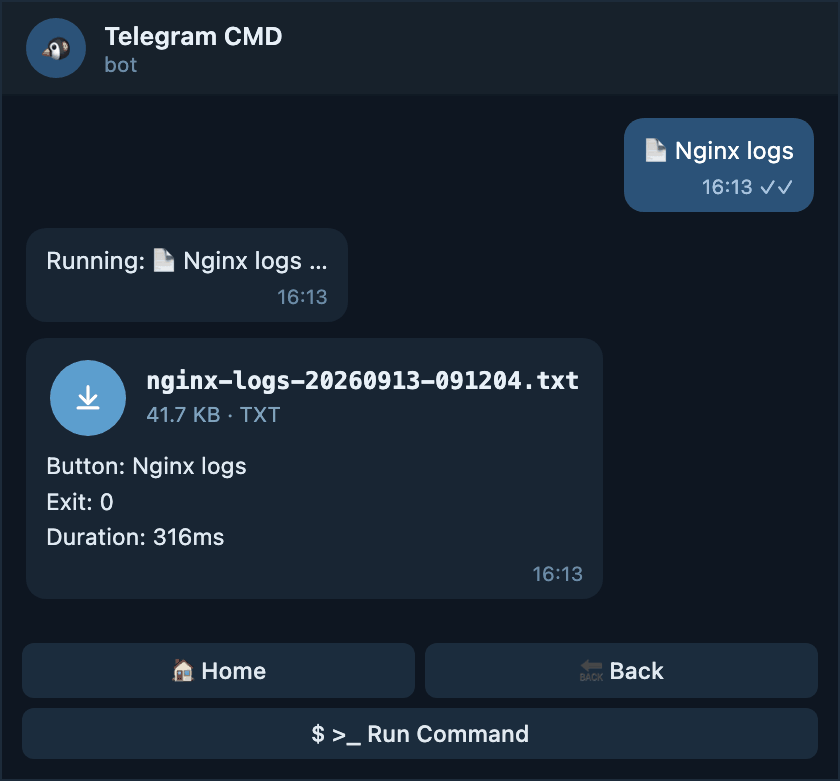
The typical choice for logs and backups: you almost never want to read them in the chat, and a file is easier to keep.
Always download this one
output: auto

menu:
  - name: Nginx logs
    type: button
    function: command
    command: "journalctl -u nginx -n 2000 --no-pager"
    output: file # (1)!
- The rest of the menu still behaves automatically. Only this button is pinned to a file.
What you get in the chat
One attachment with the button name, exit code, and duration as its caption. Tap it to read the whole log, or keep it for later.
When the root is output: text
Every button stays in the chat unless it says otherwise. Pick this when you dislike downloading files on your phone.
The root is text, the button says nothing
Chat messages everywhere
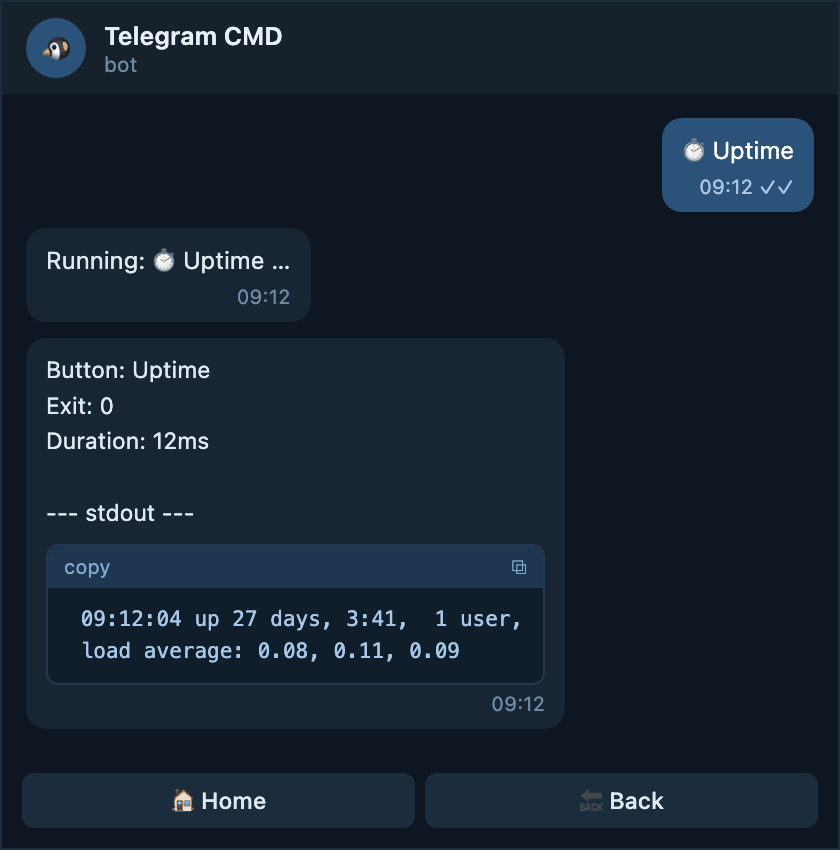
What you get in the chat
One short message, because uptime prints a single line. Longer results
are simply split into more messages, up to ten.
The root is text, the button says auto
The button opts back in to the automatic switch, so this one button may send a
file even though the rest of the menu never does. max_output_messages from
the root decides where the switch happens.
One button allowed to send a file when it gets long
output: text
max_output_messages: 3 # (1)!

menu:
  - name: Package list
    type: button
    function: command
    command: "dpkg -l"
    output: auto
- Only this button reads the allowance, because it is the only one in
automode.
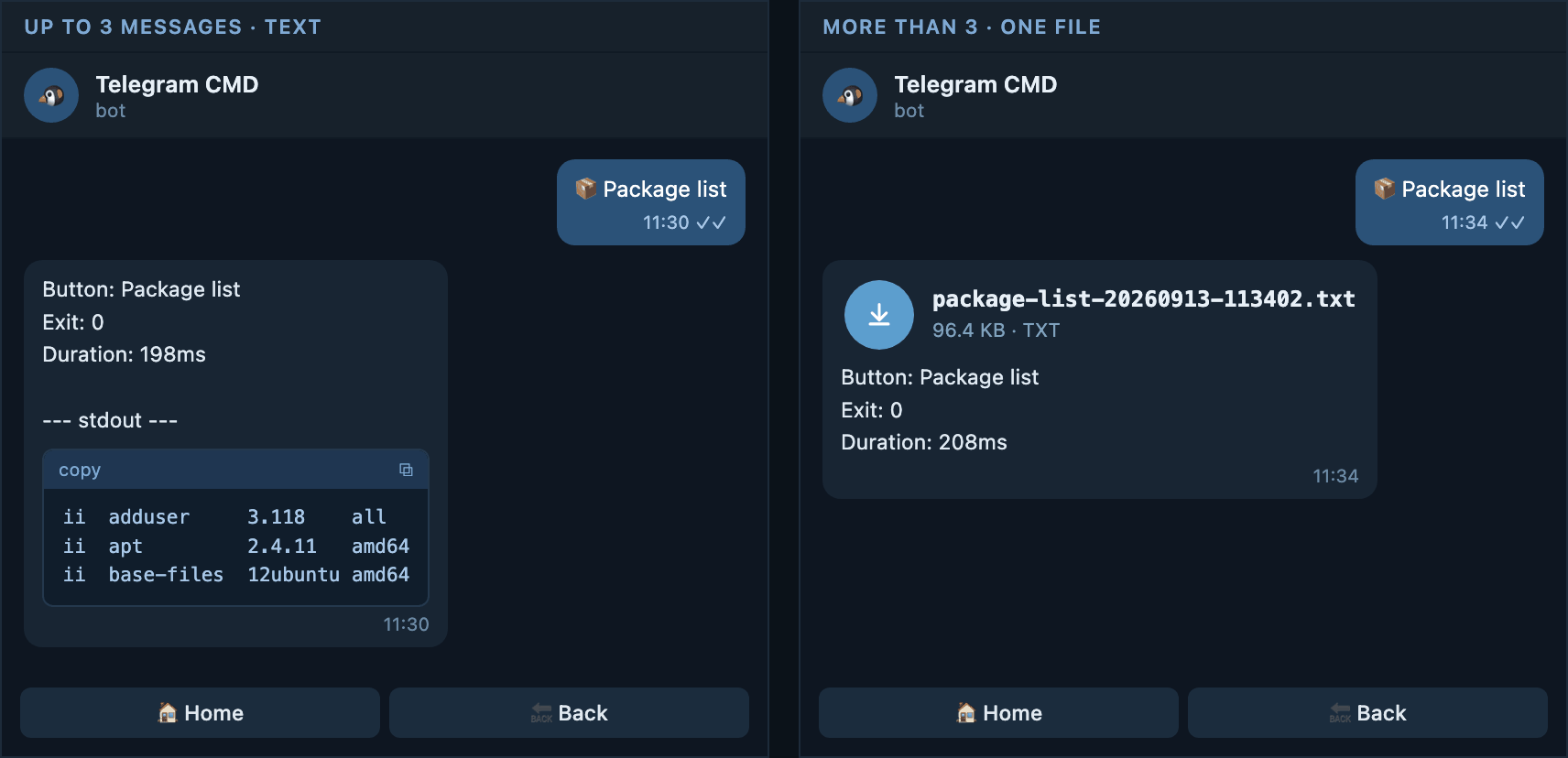
What you get in the chat
A short package list arrives as up to three messages. On a full server the same button crosses the allowance and sends one file instead.
The root is text, the button says text
Same as saying nothing, but the intent is written down. Useful in a long config where you do not want a later edit at the root to change this button.
Pinning a button to chat messages
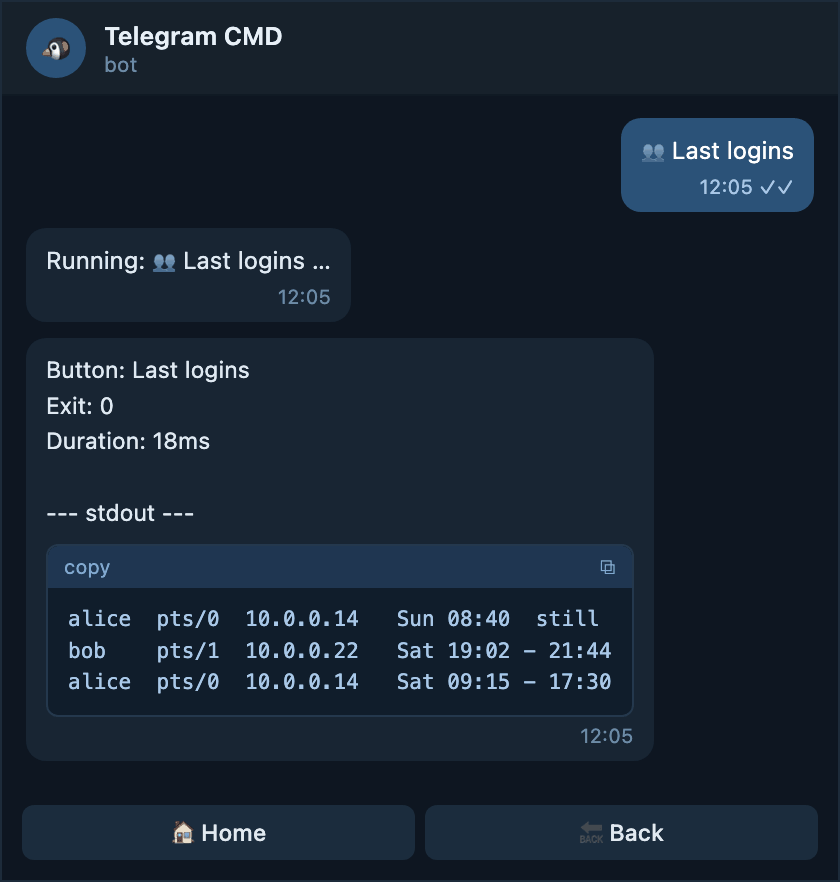
What you get in the chat
Always chat messages, up to ten of them, whatever the root is changed to later.
The root is text, the button says file
One downloadable button in a chat-only menu
output: text

menu:
  - name: Full system report
    type: button
    function: command
    command: "/usr/local/bin/report.sh"
    output: file
    timeout: "5m" # (1)!
- A report can take a while, so this button gets longer than the global timeout.
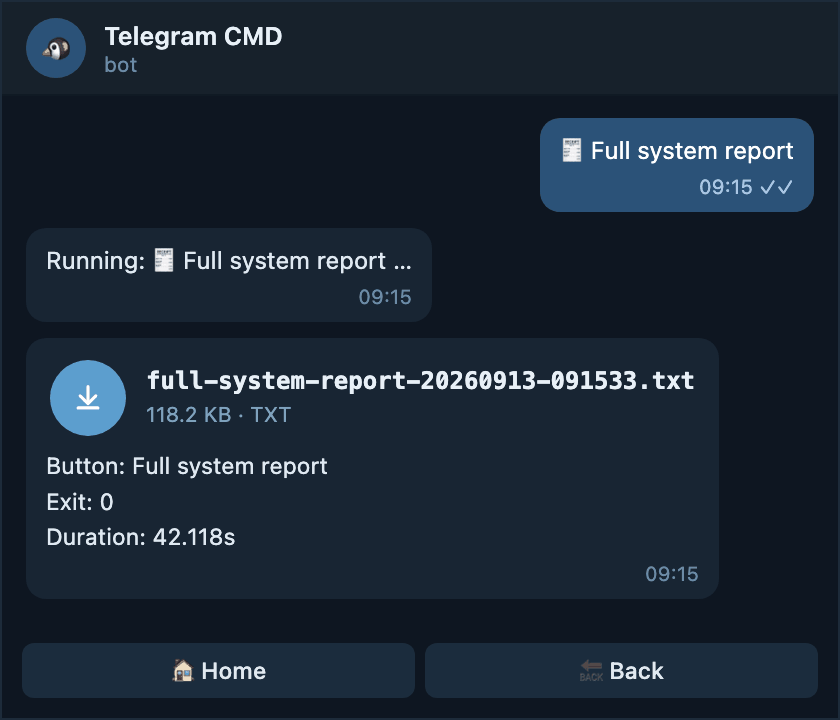
What you get in the chat
The only attachment in an otherwise chat-only menu. The caption shows how long the report took, which is useful when it runs for minutes.
When the root is output: file
Every result is a file, even a one-line one. This suits a bot used mostly for reports and archives.
The root is file, the button says nothing
Files everywhere
What you get in the chat
Even a single line of output arrives as an attachment. The caption still carries the summary, so you can read the exit code without opening it.
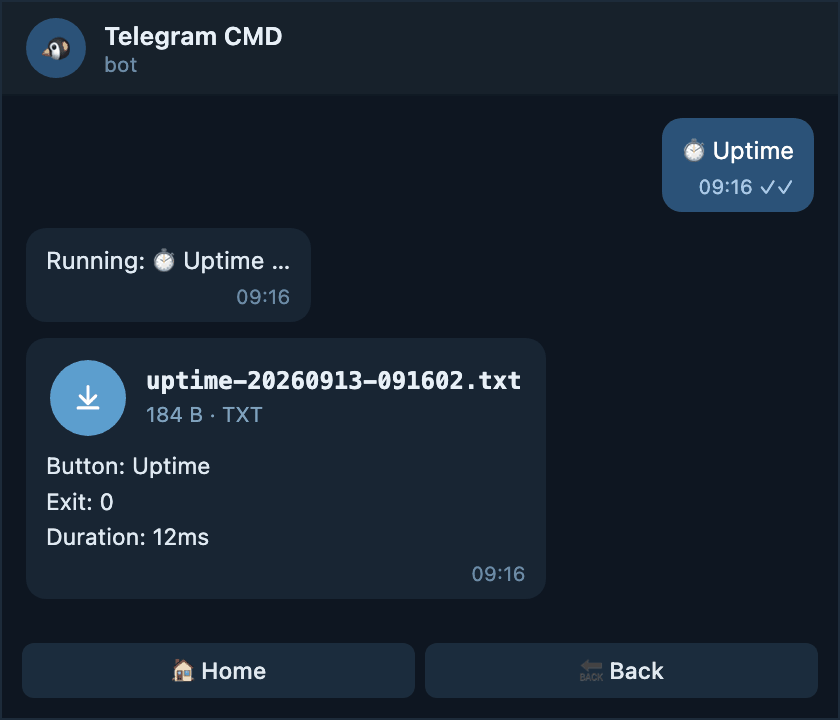
Even tiny results become downloads
A one-line answer arrives as an attachment you have to open. If that annoys
you, leave the root on auto and put output: file only on the buttons
that need it.
The root is file, the button says auto
The button escapes the file-only rule and behaves normally again.
Let a quick check stay readable
output: file
max_output_messages: 2

menu:
  - name: Uptime
    type: button
    function: command
    command: "uptime"
    output: auto # (1)!
- Back to the automatic switch for this button only.
What you get in the chat
The one-line answer is short, so it stays in the chat as a message while every other button in the menu still sends files.
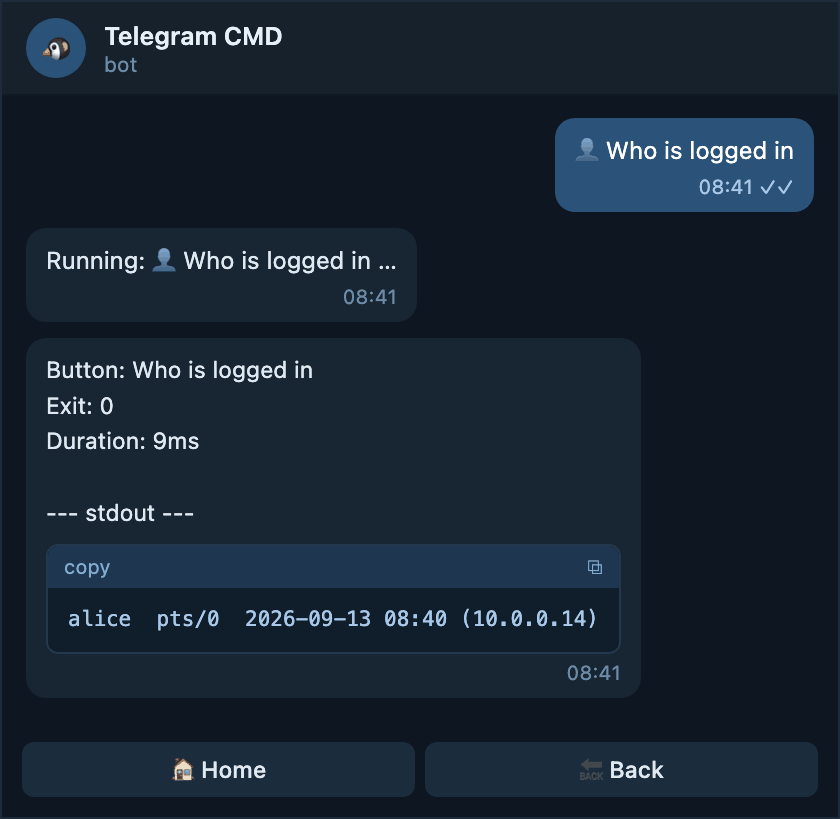
The root is file, the button says text
Force one button back into the chat
What you get in the chat
A message, never an attachment, however long the list of logged in users grows. Above ten messages the bot notes that the rest was cut.
The root is file, the button says file
Repeating the root value. Harmless, and it keeps the button correct if you relax the root later.
A button that must always be a file
What you get in the chat
An attachment, exactly as the root already asked for. Writing it on the button makes the intent survive a change at the root.
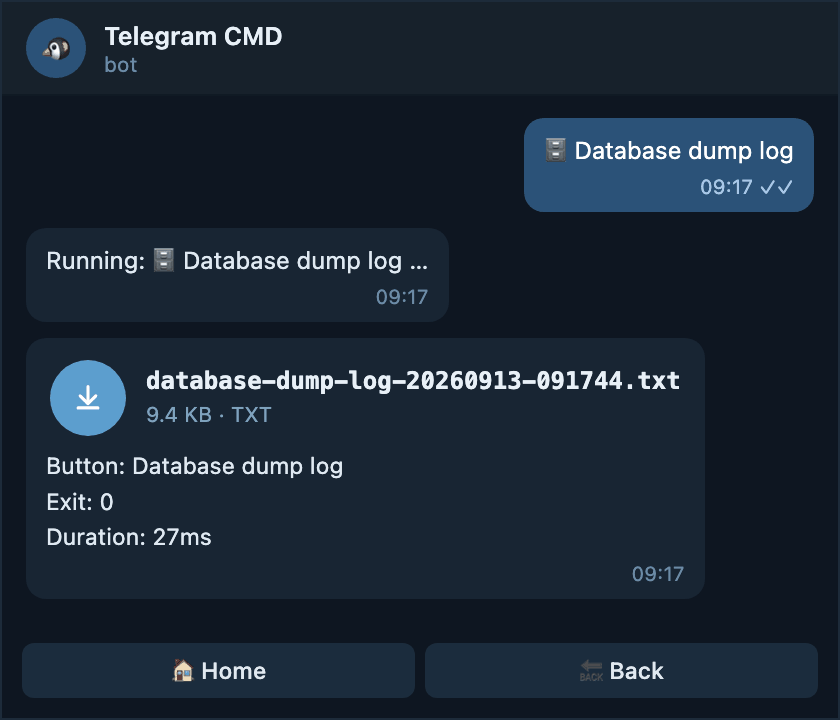
What the file looks like
When a result is delivered as a file, you get one attachment plus a short caption.
- Name — the button name in lowercase with dashes, then the date and time
in UTC, for example
nginx-logs-20260913-091204.txt. - Caption — the same summary you would see at the top of a chat message: button name, exit code, duration, and the timeout or truncation note when there is one.
- Body — that summary again, then a
--- stdout ---section, then a--- stderr ---section when the command wrote anything to it.
Inside the downloaded file
Limits you cannot change
Telegram sets the ceiling, not the bot
- One chat message holds at most 4096 bytes.
- In
textmode the bot sends at most ten messages and ends with(output too long; showing first N bytes). - Whatever
max_output_messagesyou write, ten messages is still the hard ceiling.
If a send fails, the bot tries again first
When the file cannot be sent — no network, Telegram asking to slow down — the bot retries automatically with a growing wait. Only once it gives up does it fall back to chat messages, so a short drop does not cost you the result. See Delivery retries.
Run Command uses the root setting
The $ >_ Run Command button is not part of your menu, so it has no
output of its own. It always follows the root output and
max_output_messages. See Menu → Run Command.
Related
-
Configuration
Every root key, including the three output fields in one table.
-
Button
What a button can override,
outputamong them. -
Menu
How results sit next to the menu, and what Run Command does.
-
Shell
The shell, working directory, and timeout your commands run with.
-
Delivery retries
What happens when a send to Telegram fails partway through.